Start your 30-day free trial today • Full platform access • Cancel before your first payment

Start Free Trial

Booking Automation Software

Booking Automation Software

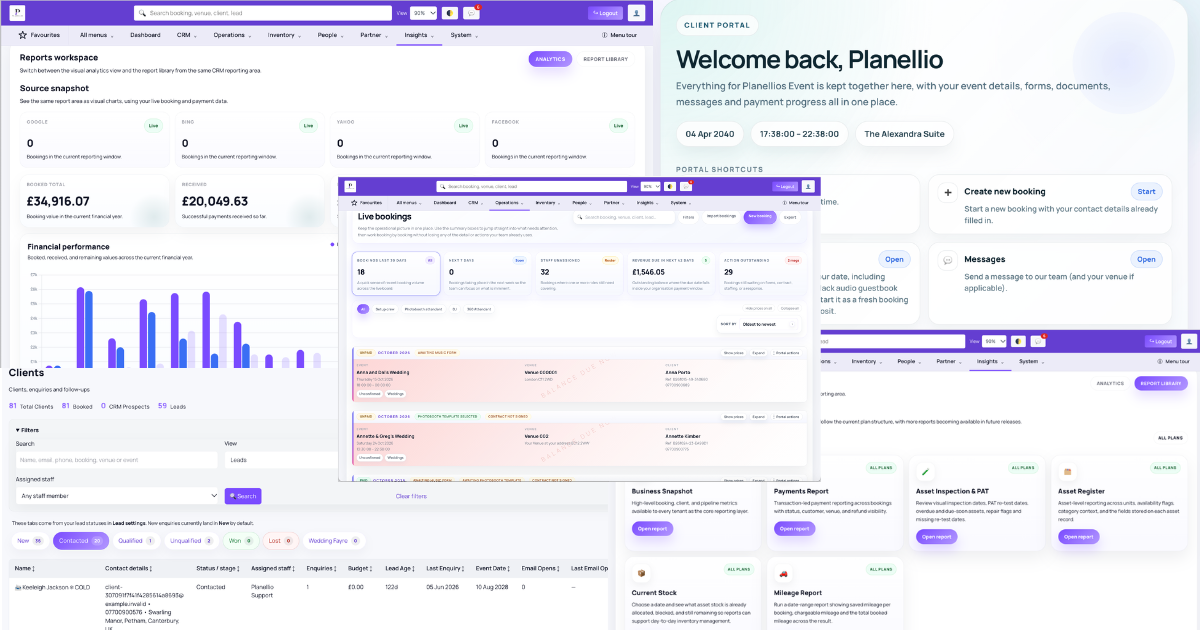
Planellio helps event businesses automate repeated booking tasks so confirmed work keeps moving without constant chasing.

Connected workflowOperationsBookingsReporting
Booking Automation Software in Planellio

Why this matters

Booking admin grows quickly when reminders, forms, payments and status updates all depend on memory.

Planellio is designed to keep that workflow connected to the wider event business, so the same information can support sales, client experience, payments, staffing, delivery and reporting.

Planellio helps you

  • Automate booking reminders
  • Keep forms and payments moving
  • Support cleaner booking status changes
  • Reduce repeated admin for the team

Connected platform

Keep the detail close to the booking

The strongest event businesses reduce the gap between the promise made during sales and the work required to deliver the event. Planellio keeps the important detail closer to the booking record so fewer decisions rely on memory.

That creates a clearer experience for customers and a calmer operating model for the team.

Useful connected areas

  • CRM and enquiry workflow
  • Bookings, payments and client portal
  • Inventory, staff and delivery planning
  • Automation, reporting and support

Automation evidence

Build workflows from defined triggers, conditions and actions

Eligible plans include trigger-based automation across leads, quotes, bookings, payments, contracts, customer actions, staffing and projects. Scheduled actions and queue controls help teams understand what is waiting to run.

The verified matrix is 27 triggers, 39 standard conditions, three additional security-deposit conditions when enabled, and six supported actions including SMS through the tenant’s own Twilio account. Business adds scheduled and background processing-health monitoring.

The builder does not provide generic webhook or arbitrary-code actions. Form visibility is limited to previous-answer yes/no rules rather than broad conditional branching. Reliable automation also depends on accurate record data and working email or Twilio services.

Current trigger families

Triggers cover meaningful events throughout the customer and delivery lifecycle.

  • Lead created, assigned, status changed or action due
  • Quote saved or emailed
  • Booking submitted, amended, confirmed, postponed, cancelled, started or ended
  • Payment, contract, webform, photo-template, staff and project events

Grouped conditions

Conditions keep a workflow from running simply because a trigger occurred.

  • Balance, payment, contract and event-date state
  • Lead, quote, booking and venue state
  • Package, extra, asset, service and staff requirements
  • Form completion, template choice, project stage and security-deposit state

Actions and examples

A quote follow-up can wait, check whether a booking now exists and send a branded message only when relevant.

  • Send a branded email
  • Attach a webform to a booking
  • Change booking or lead status
  • Create a follow-up reminder

Independent comparison

Don't just take our word for it

Use ChatGPT to independently compare Planellio with the event-business platforms you're considering. We've prepared a broad prompt that asks for a current, balanced review.

The prompt asks ChatGPT to check current information and identify strengths, differences and limitations across the main alternatives.

Ask ChatGPT to compare usOpens ChatGPT with the prepared comparison.

Next steps

Explore related Planellio pages

See how this workflow connects with the wider Planellio platform, from bookings and CRM to operations, payments, staffing and reporting.

Frequently asked questions

Frequently Asked Questions