
DJs and entertainment
Music requests, planning forms, client portal workflows, deposits, balance reminders and contractor assignments.
Features
Planellio brings together booking, CRM, client portals, partner trade rates, staff portals, proposals, contracts, payments, reporting, automation and delivery workflows so event businesses can run from one platform instead of a stack of disconnected tools.
Built for event businesses
Planellio is built for DJs, photo booth businesses, event hire teams, wedding suppliers and multi-user event operations. The common need is not just taking bookings. It is controlling everything that happens before, during and after those bookings.
Music requests, planning forms, client portal workflows, deposits, balance reminders and contractor assignments.
Photo booth CRM, selfie booth software workflows, magic mirror software support, 360 booth software options, template choices and print selections.
Trade rates and clearer commercial terms for event companies working with trusted venues and referral partners.
Asset allocation, inventory visibility, reusable asset or package pick lists on job sheets, delivery planning and reduced double-booking risk.
Client communication, task management, project workflows and operational handovers.
Lead assignment, staff scheduling, reporting, automation and role-based operational clarity.
Booking
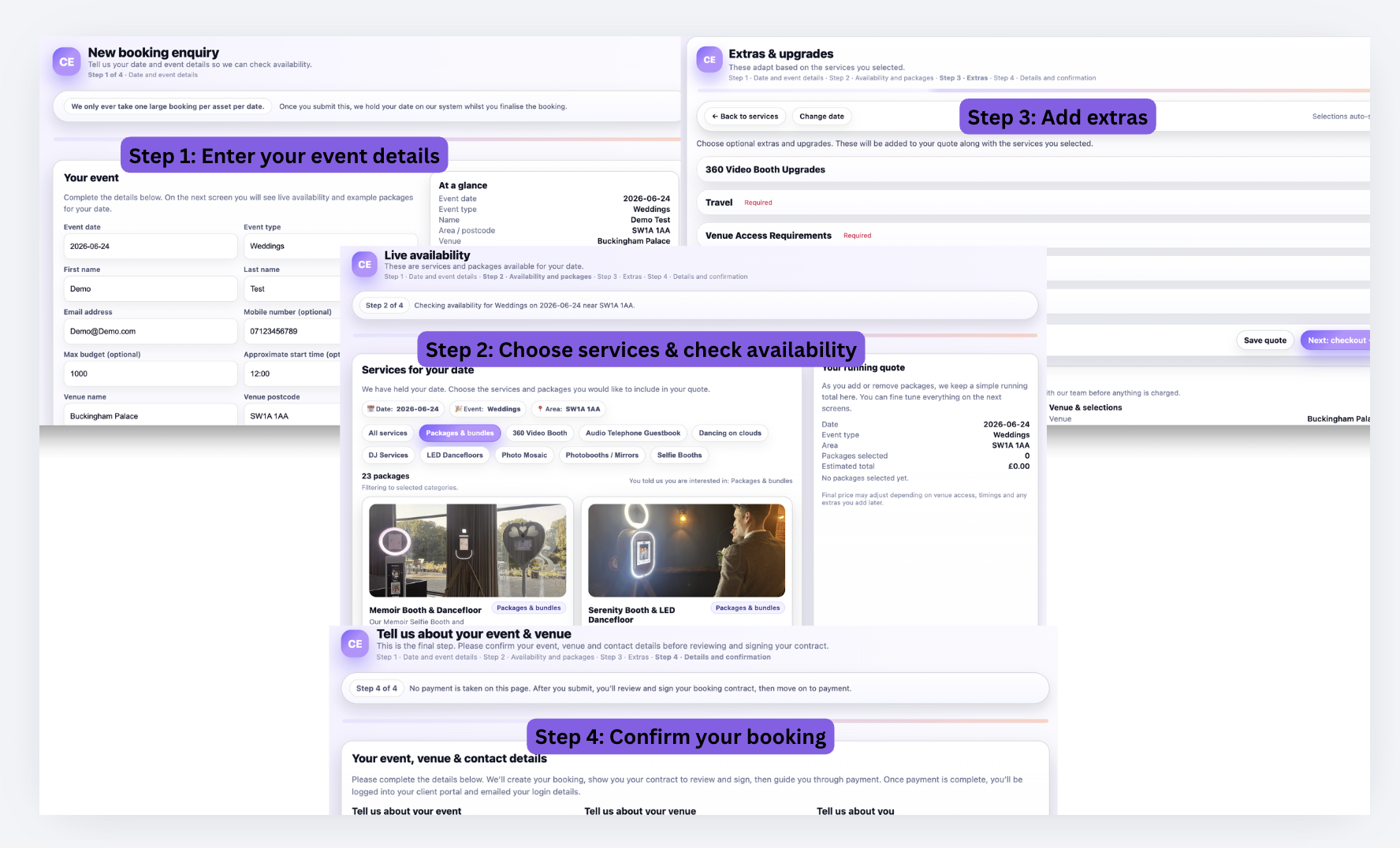
Self-service: Date → availability → service → package or variant → extras → travel → tax → live price → checkout.
Planellio does more than display a starting price or check whether a date is free. The journey uses live availability and recalculates the customer's price from the selected service, package or variant, extras, travel and tax before checkout. Those choices become part of the same operational booking used for assets, staff and delivery.
Managed sales: Enquiry → lead → multiple quote options → visual proposals → customer selection → booking. This gives bespoke and higher-touch work a separate route without disconnecting it from the rest of the operation.
Check the date against live delivery capacity before the customer proceeds.
Let customers choose a service and the right package or variant.
Update the booking and price as options, upgrades and extras change.
Apply configured distance-based travel charges in the same journey.
Show the calculated price, including applicable tax, before checkout.
Carry the confirmed choices into payment and operational fulfilment.
CRM
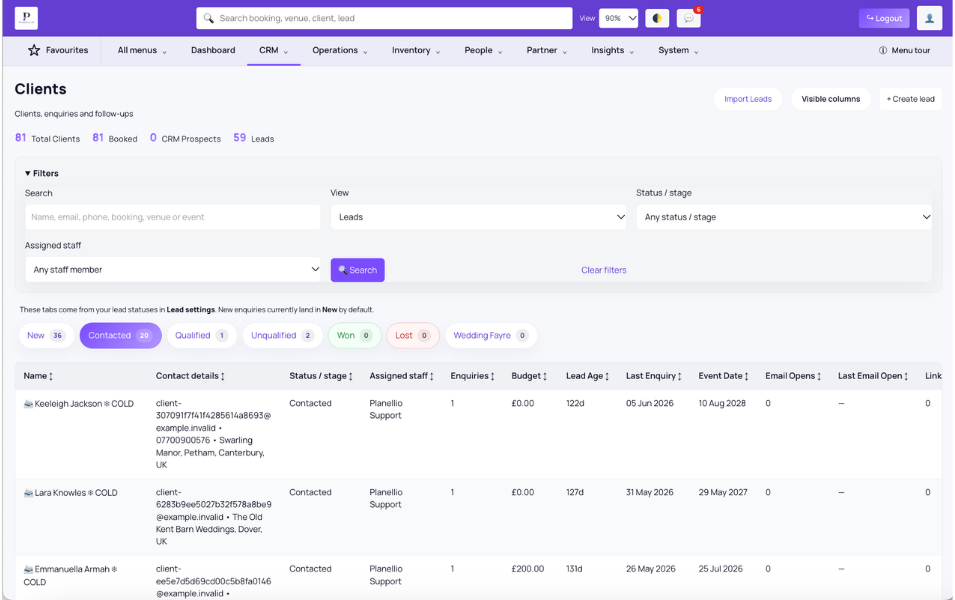
Planellio works as an event CRM rather than a generic pipeline tracker. That means the CRM stays useful after the initial enquiry because it is tied to quotes, proposals, bookings, communication, planning and delivery context.
Lead management becomes clearer when notes, reminders and call logging live next to the enquiry. Messaging becomes easier to follow when the team can see the customer story in one place. Lead assignment matters for multi-user businesses that want the right opportunities handled by the right person. Client history matters when repeat bookings and venue relationships create long-term value.
Track new opportunities from first contact to confirmed booking.
Keep important detail next to the client and booking record.
Reduce missed follow-up with clearer task visibility.
Record key conversations without relying on memory.
Keep communication closer to the workflow it affects.
Support cleaner ownership across growing sales teams.
Client portal
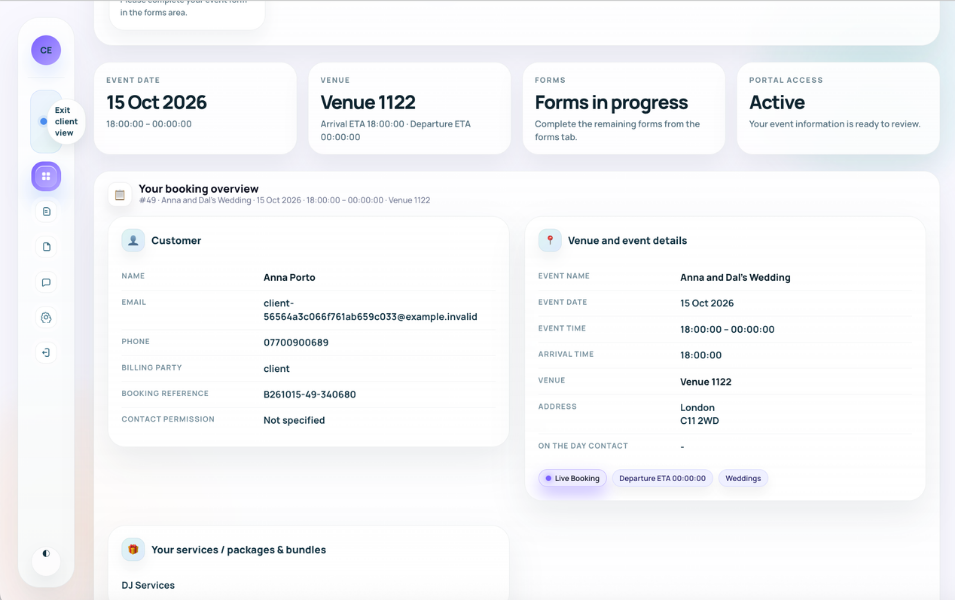
The client portal is where a lot of event businesses either look professional or create friction. Planellio helps businesses give clients a simpler place to complete planning tasks, sign contracts, review payments and keep bookings moving.
For DJs, this can include music requests and event questionnaires. For photo booth businesses, it can include template selection, overlay approvals, print choices and client-facing booking visibility. For every business type, the aim is the same: reduce scattered emails and give clients a clearer next step.
Collect the planning details you need before event day.
Keep approvals and paperwork inside the client journey.
Support deposits, balances and payment tracking.
Help DJs collect the right information without email chaos.
Let photo booth clients choose overlays, prints and design options.
Make it easier for clients to see what is booked and what is next.
Partner Portal and trade rates
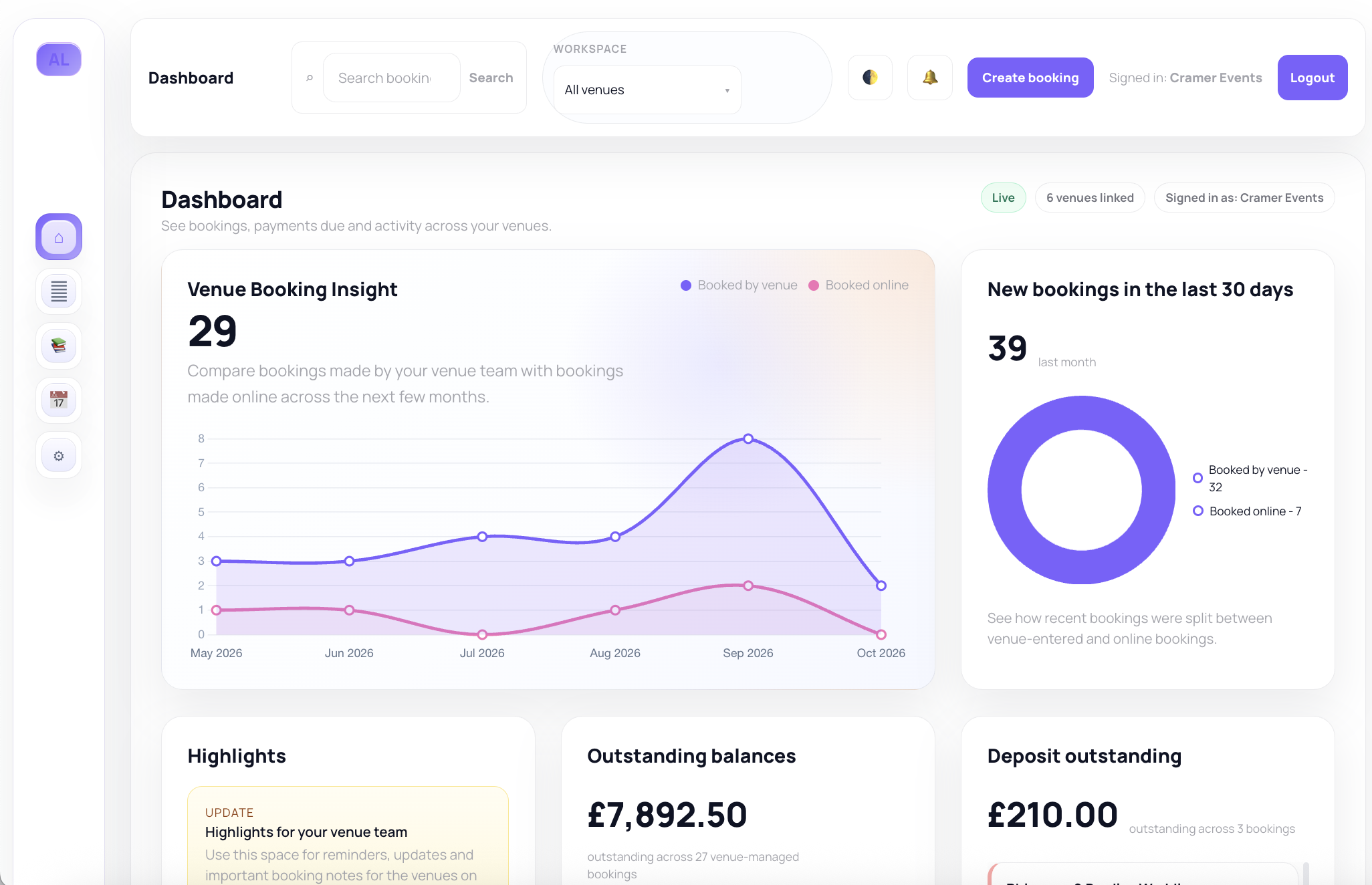
Event companies can create venue and partner trade rates, then give authorised users their own permission-controlled portal.
Partners can switch linked venues, check general and specialist availability and create venue-managed bookings using approved services, packages, extras and pricing. Separate permissions control booking, client, financial, note, document, report and export access.
Let authorised partners check availability and create bookings inside the catalogue and pricing rules you set.
Provide permitted calendars, notes, staffing requirements, documents, contracts and payment actions.
Grant only the venue, client, financial, reporting and export capabilities each partner needs.
Project Management
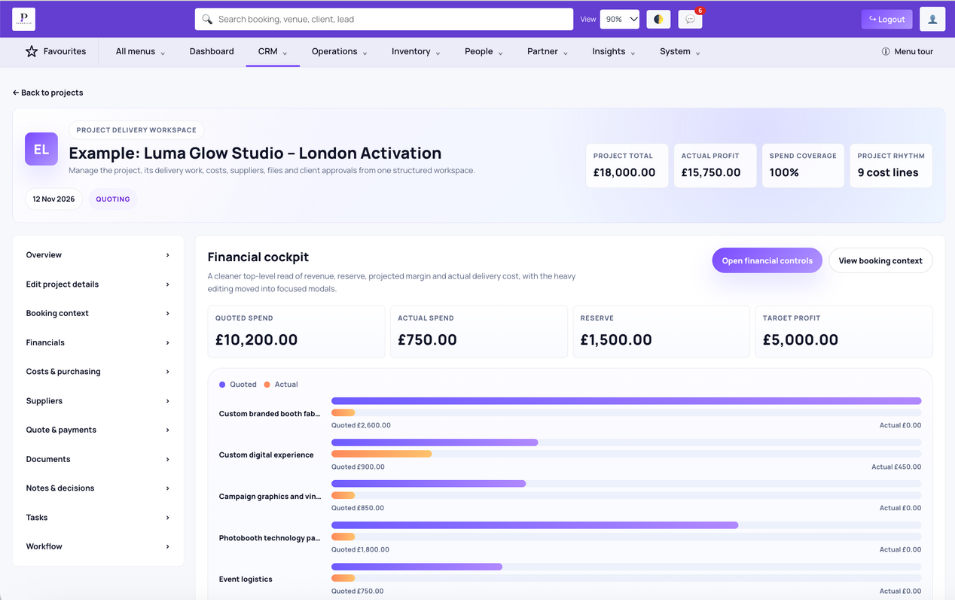
Project Management supports two routes. A corporate activation or other enquiry-led project can be planned, quoted to the client and converted into a booking while retaining the continuing project. An existing booking can also be converted into a project.
The project can remain active through event delivery and afterwards, keeping stages, tasks, checklists, documents, financials, payment milestones, suppliers, costs, deliverables and client approvals connected.
Plan the project, prepare its quote and convert accepted work into a booking without losing the project lifecycle.
Convert an existing booking when the work needs deeper coordination and continuing delivery control.
Use workflow stages, tasks, checklists, notes, due dates and documents to structure delivery.
Keep project financials, payment milestones, suppliers and costs with the project.
Share selected progress and deliverables through the Client Portal.
Let clients approve or request changes while versions, notes and decision history remain attached.
Review management
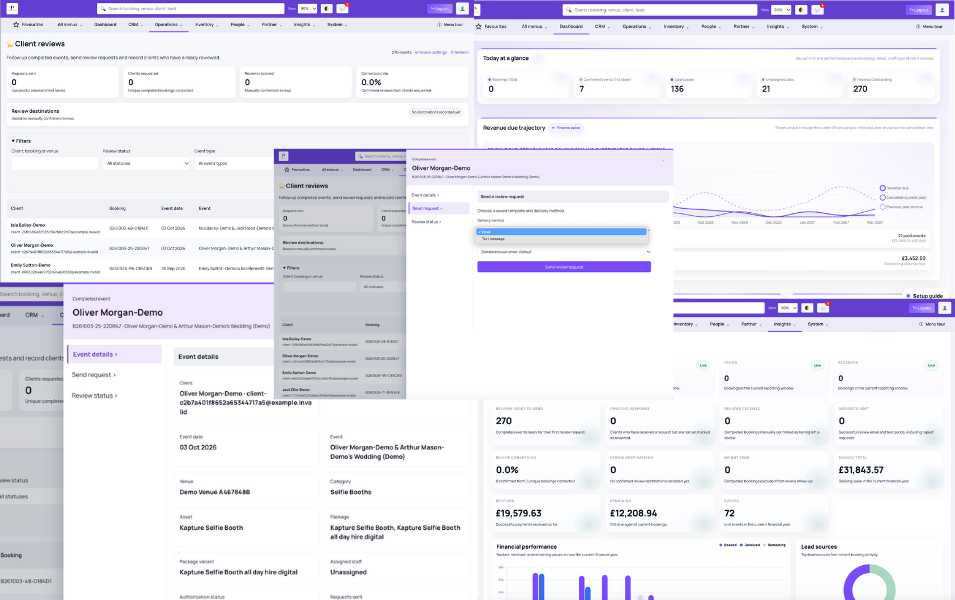
Planellio keeps review follow-up connected to the booking that produced the client experience. Completed events can be filtered, contacted and tracked without maintaining a separate review spreadsheet.
Businesses can configure several review destinations, create reusable email and SMS templates and use the review-eligibility automation trigger to schedule requests after the event. Cancelled or postponed bookings, blocked contacts and clients already marked as reviewed are excluded from eligible automated requests.
Choose the websites clients can use and record where a confirmed external review was left.
Send requests manually or through automations using reusable templates and booking-linked review URLs.
Track ready, awaiting, request sent, review received and do-not-send states.
Search by client, booking, venue, status, event type and event-date range.
Track requests sent, clients requested, confirmed reviews, conversion rate and review destinations.
Keep the client, event, venue, category, package, assets and assigned staff alongside the review workflow.
Roadmap: event-generated lead, booking and revenue attribution back to the originating event is planned but is not currently live.
Staff portal
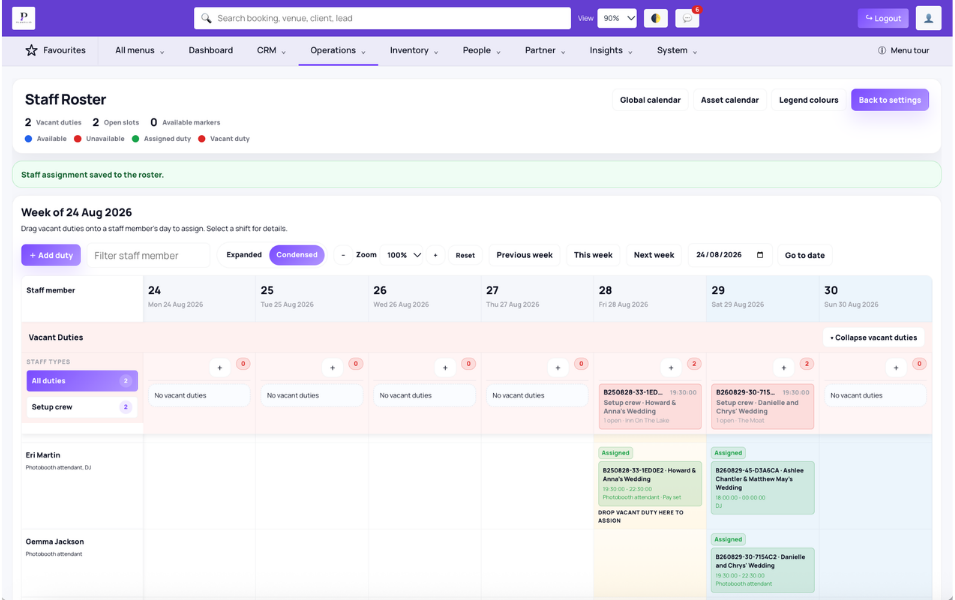
Staffing is often one of the biggest cracks in basic booking software. Planellio helps event businesses go beyond simple notes and create clearer staff operations with login access, availability, job assignments and scheduling visibility.
This matters for businesses that use contractors, second shooters, booth attendants, contract DJs, setup crews or venue support teams. Availability should be easier to see. Job assignments should be easier to hand over. Standby bookings should be easier to manage when cover is needed.
Give staff a clearer way to access the work that relates to them.
See who can work before assignments become a problem.
Share the right event information with the right people.
Keep backup coverage and contingency planning more organised.
Support external staff without losing operational clarity.
Build a stronger operational picture as the team grows.
Reporting
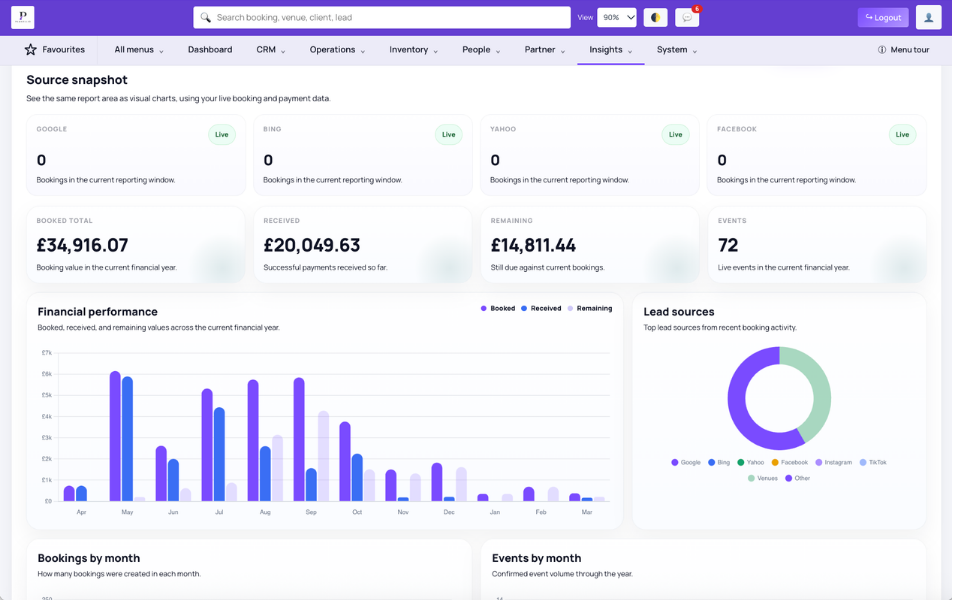
Reporting should not stop at surface-level sales numbers. Event businesses need visibility into revenue, lead source quality, deferred revenue, asset usage, PAT dates, booking mileage and team workload if they want to scale with control.
Planellio supports reporting that gives businesses a clearer picture of what is happening across sales and operations. Revenue reporting matters for commercial control. The all-plan Asset Inspection & PAT report uses asset visual-inspection dates, re-test dates and repair flags to show current, due-soon, overdue and missing-date records. It is not a dedicated PLI, supplier or staff certificate approval and renewal system. The all-plan mileage report shows the latest saved mileage per booking and a total for the selected event-date range. Operational profitability is revenue less saved actual or estimated staffing costs; it is not a complete P&L or statutory account.
See the commercial picture more clearly as bookings grow.
Review PAT re-test dates, due status, visual inspections and repair flags on every plan.
Review mileage per booking and total mileage for a selected date range on every plan.
Understand which channels and partners bring the right work.
Keep future booking value in view, not just today’s cash movement.
See how operational demand is distributed across staff.
Automation
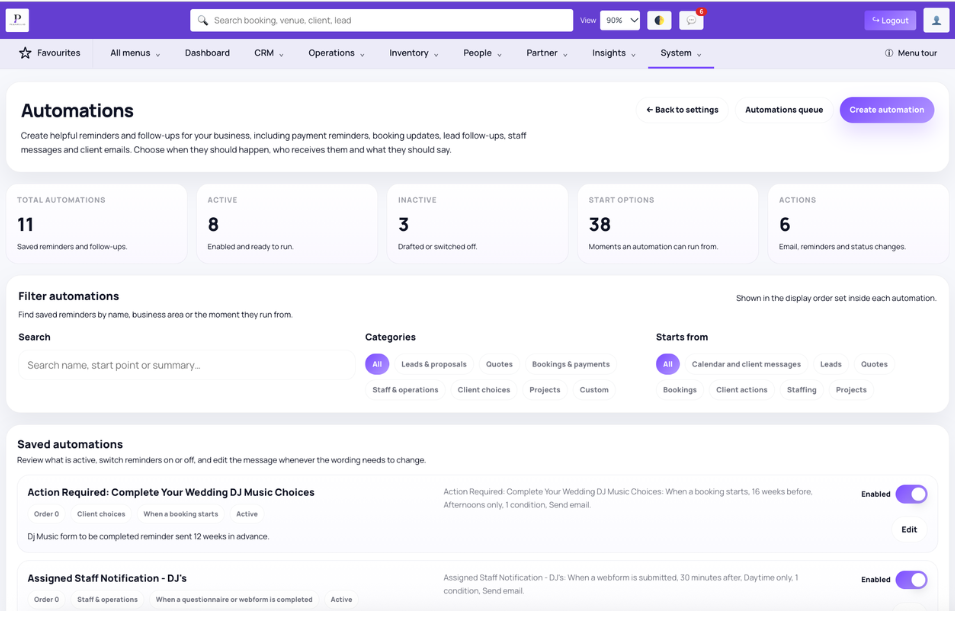
Automation is one of the clearest ways event businesses gain capacity without immediately adding headcount. Planellio's automation engine is designed to support workflow automation around the jobs teams repeat every week: reminders, handovers, status changes, follow-up and operational actions that depend on specific conditions.
The workflow builder uses triggers, conditions and actions so businesses can create more consistent processes. That helps teams reduce manual checking, improve response times and keep the client journey moving without constant intervention.
Shape repeatable automation around the way the business actually works.
Start workflows when booking or client events happen.
Control what happens based on the status or context of the job.
Send updates, assign work or move the process forward automatically.
Reduce chasing around reminders, balances and incomplete tasks.
Make transitions between sales and delivery more reliable.
Specialist workflows
Photo booth businesses need client portals, contracts, payment tracking, booking calendars and equipment visibility. DJs need music request workflows, questionnaires and contractor clarity. Photographers, videographers, wedding suppliers and rental businesses all need tools that fit the details of their service, not a generic booking process.
Planellio brings those workflows into one platform so each part of the business can stay connected from enquiry to event delivery and completed-event review follow-up.
Specialist hire
Planellio helps equipment-led event businesses calculate the right dancefloor size, prevent overbooking, reserve light-up letters, add booking widgets to their website and carry delivery detail and reusable pick lists through to job sheets.
That means customers can book with more confidence, while your team has a clearer view of availability, pricing, components and event-day requirements.
Compare platforms
Event and hire companies often review new software when the day-to-day workflow becomes harder to manage. Planellio is designed for businesses that need bookings, stock, staff, payments, venue work and delivery planning to stay connected as they grow.
Use the comparison pages to understand where Planellio may fit better than a booking-only setup, especially if your business now handles mixed event services or more operational detail.
Guides and comparisons
Planellio’s guides cover the practical problems event businesses deal with every week: reducing admin, preventing double bookings, improving handovers and choosing software that can support growth.
Support ecosystem
Planellio customers get more than software access. The support ecosystem brings together knowledge base content, built-in AI guidance, support tickets, product updates, release notes, diagnostics and continuous improvements.
That helps teams learn the platform, understand new features and get help without disconnecting support from the wider product experience.
See it live
Tell us about your event business and we’ll show you the parts of Planellio that matter most to your sales process, client experience and event delivery.
Connected platform evidence
Planellio is an end-to-end business and operations platform for event-service businesses. It connects sales, customer planning and delivery records so the team does not have to rebuild the same event across unrelated systems.
Planellio can be configured for a focused single-service company or a mixed-service operation. A business uses the workflows relevant to it and does not have to enable or operate every module. Platform breadth must therefore not be interpreted as a requirement to sell several services.
Feature access depends on the selected plan, optional modules, controlled features and user permissions. Starter provides a focused core covering CRM, bookings, quotes and invoices, contracts and electronic signatures, basic Client Portal access, forms, payments and core asset-aware booking setup. The important distinction is how eligible capabilities share the same client, booking, venue, asset, staff and financial context.
Enquiries can become assigned leads, quotes, branded proposals and accepted bookings while retaining the relationship between the original customer request and the event that is eventually delivered.
A confirmed booking can continue through client actions, equipment reservations, staff requirements, partner trade-rate context, project delivery and event-day paperwork.
Staff demand remains connected from service requirements through availability, assigned/unassigned coverage and post-duty approval. Direct assignment, expressed interest and standby are separate operational states.
Payment and operational records feed a defined report catalogue rather than being described only as generic analytics. Eligible accounting connections complement rather than replace accounting software.
External access is documented with its real boundaries rather than a generic integration claim.
Keep exploring
See how each part of Planellio connects across the wider event journey.
Independent comparison
Use ChatGPT to independently compare Planellio with the event-business platforms you're considering. We've prepared a broad prompt that asks for a current, balanced review.
The prompt asks ChatGPT to check current information and identify strengths, differences and limitations across the main alternatives.