Finance and reporting evidence
See the reports and accounting connections that are actually available
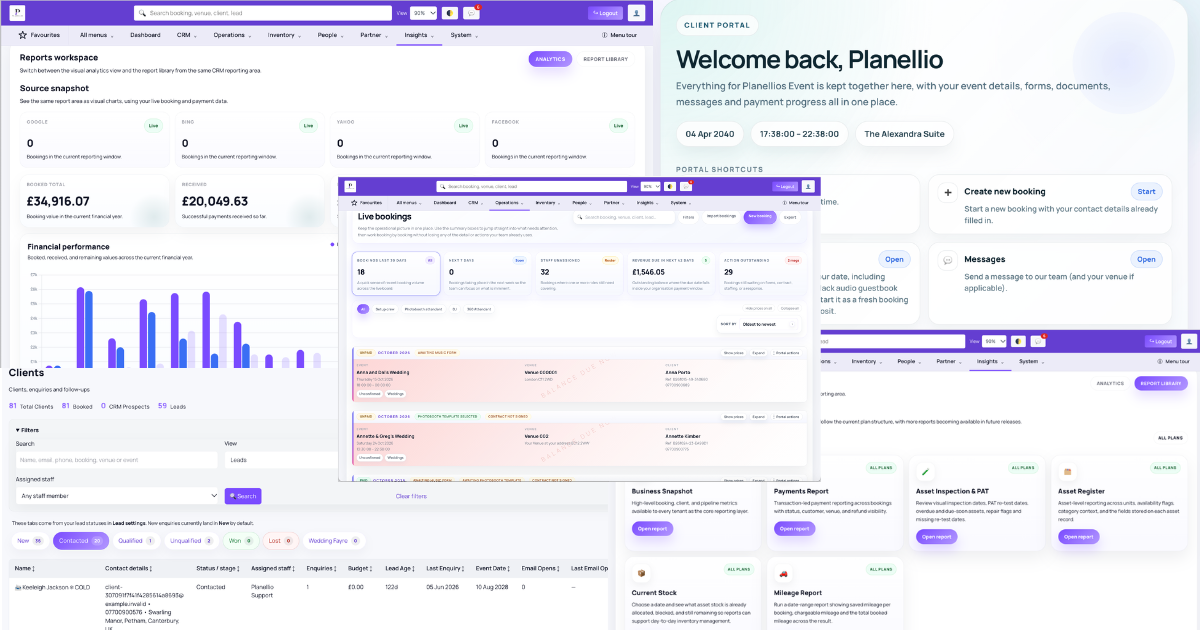
Planellio provides a defined administration report catalogue. Exports and reports reflect the information recorded in Planellio and do not replace reconciliation, statutory accounts, tax returns or professional advice.
Eligible plans include Xero and QuickBooks OAuth connections. Supported accounting workflows can sync contacts and invoices, with full-transaction mode also covering payments, refunds and paid partner payouts. Each requires a separate third-party account, authorisation and appropriate account mappings.
Revenue and payment reporting
Future-event income and unpaid customer obligations can be reviewed separately from current cash activity.
- Revenue dashboard and income summary
- Deferred revenue and outstanding balances
- Payment history and payment-method breakdown
- Client revenue and lead-source breakdown
Operational and year-end reports
Finance reporting remains connected to assets, staffing and the events producing the revenue. The profitability report is operational: current profit is booking revenue minus actual saved staff costs, while forecast profit also deducts estimated staff costs still to allocate. It does not fully include supplier costs, depreciation, travel expenditure, general expenses, refunds, write-offs, tax liabilities, payroll, complete direct-cost allocation or accounting-ledger reconciliation.
- Asset register, current stock and all-plan Asset Inspection & PAT report
- Mileage by booking and total mileage for a selected date range on every plan
- Staff allocation and operational profitability
- VAT or sales tax, general-ledger export and year-end summary
- CSV, Excel and PDF formats where the report and user export permission allow
Payments and integrations
Gateway availability depends on plan, country, provider account and configuration. Accounting mode safeguards help avoid exporting the same settlement both through Planellio and an accounting bank feed.
- Stripe, Square and PayPal checkout
- GoCardless hosted Direct Debit authorisation and confirmed-payment updates
- Deposits, part payments, balances, manual payments and supported refund tracking
- Eligible security-deposit preauthorisation
- Xero and QuickBooks OAuth with invoice-only or full-transaction modes
- Supported contact, invoice, payment, refund and paid partner-payout sync
- Secure read/write Leads and Bookings API with access determined by plan and Zapier-compatible polling
- Zoom consultations and optional Twilio SMS